
Your servers. Your workloads. Your keys.
Kubeara is a control panel for infrastructure you already own. Databases, models, and apps run on your machines — not on a shared Kubeara cloud.
Self-hosted Kubeara is MIT licensed. You can inspect every line, run the control panel on your own network, and stop using the product without migrating workloads off your servers.
We do not host your Postgres data, GPU models, or application files. Read the privacy policy.
Built to stay out of the blast radius
The same class of control-panel bugs that exposed tens of thousands of self-hosted servers in January 2026 is what this architecture is designed to avoid.
Outbound-only agent
After you connect a server, the agent initiates outbound connections. You do not leave an inbound management port open to the internet for Kubeara to scrape.
Credentials never stored in plain text
SSH keys and server credentials never touch the database in plain text. Encryption is the default, not an enterprise add-on.
Data stays on your infrastructure
Workloads, volumes, and logs from deployed services live on the servers you connect. Kubeara does not become a second copy of your customer data.
Actions you can show an auditor
Every action is timestamped and attributed. Data residency is documented so you can answer where processing happens and who had access.
See it in the product
Connect servers without dumping SSH keys into a database, then keep a timestamped record of who changed what.
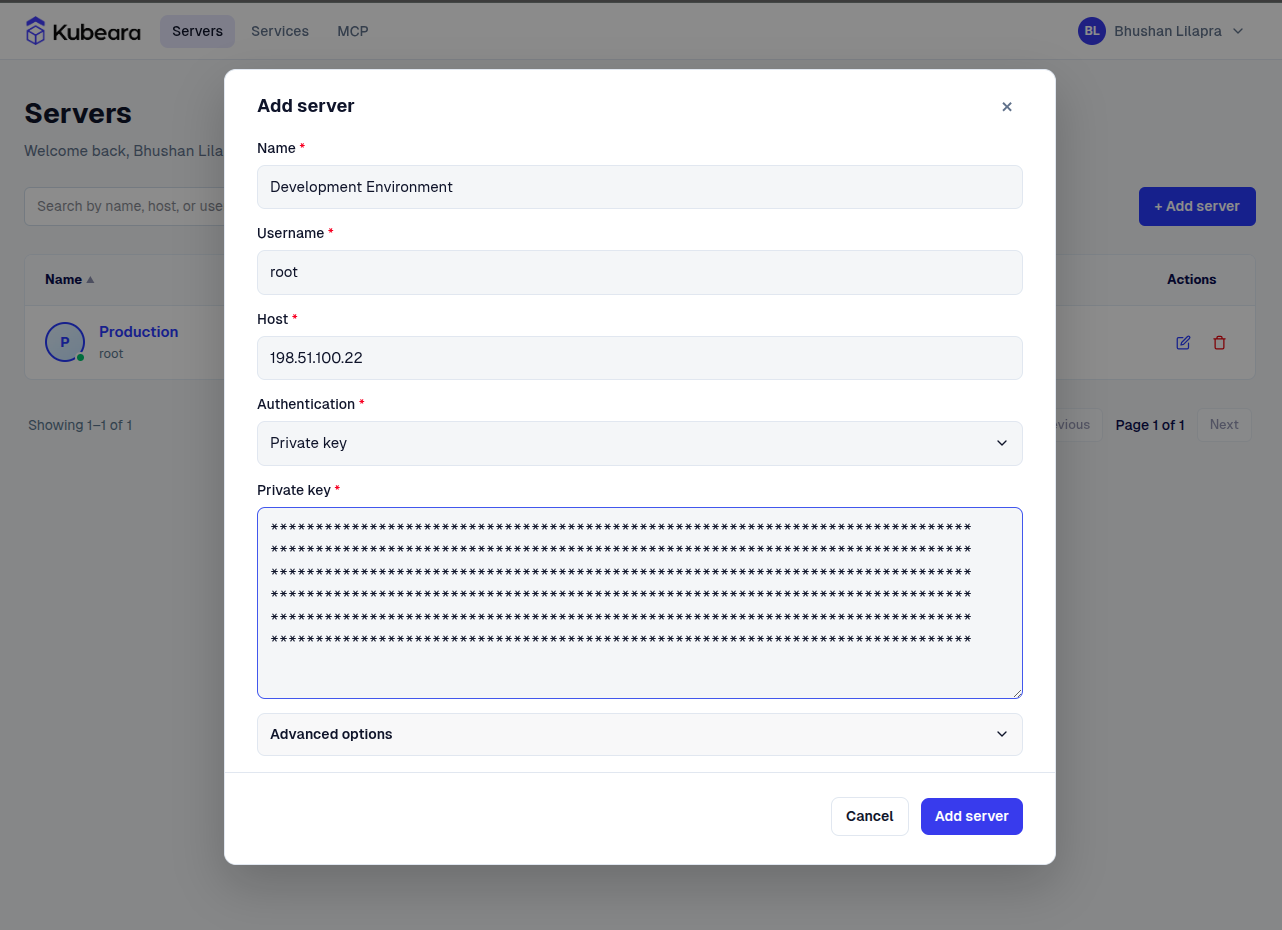
No SSH keys stored in plain text. Ever.
Your server credentials never touch our database in plain text. Agent initiates outbound only.
Built to prevent the class of vulnerabilities that exposed 52,000 servers in January 2026.
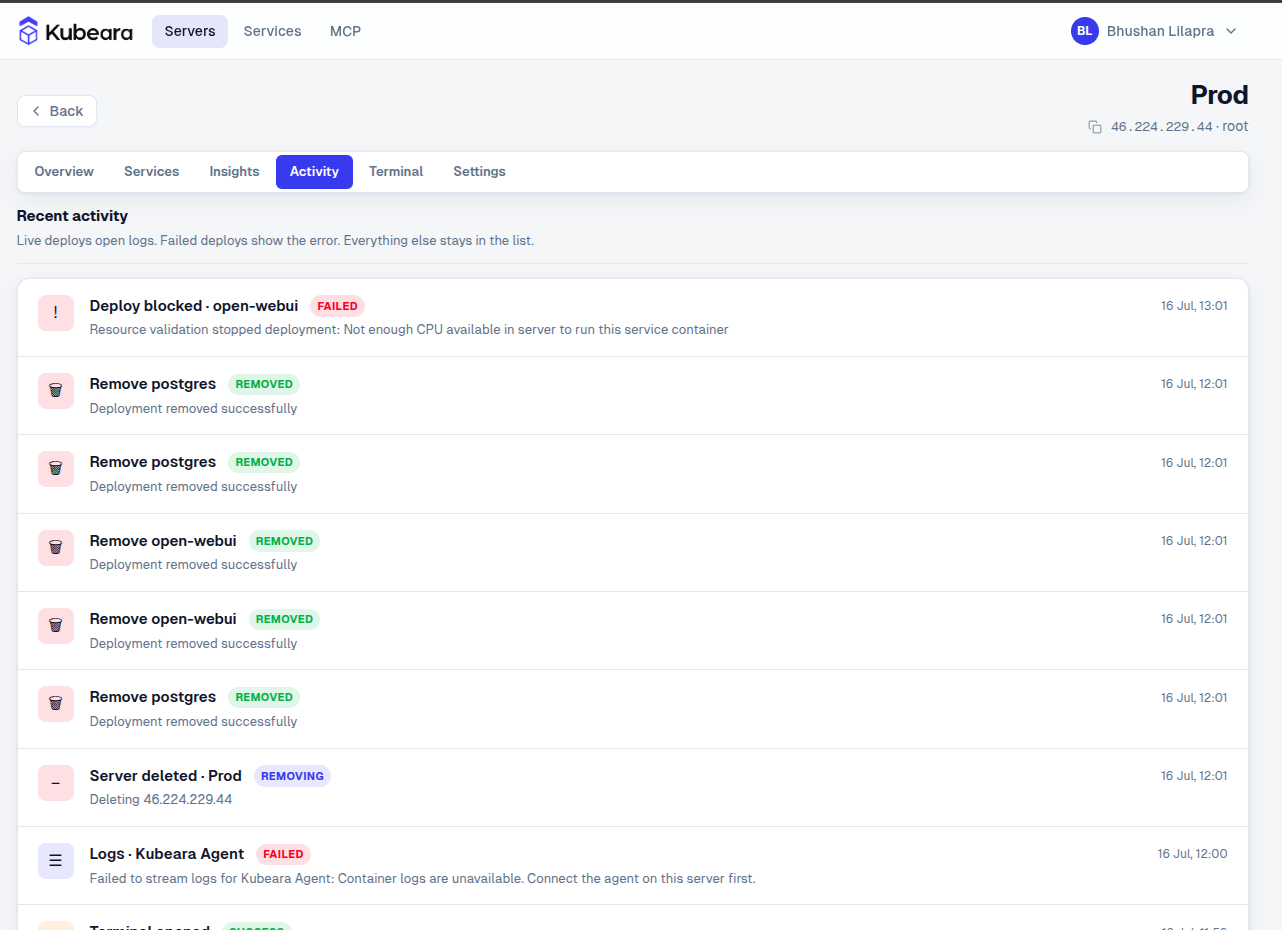
Answer every auditor question.
Full audit logs. Data residency documented. Every action timestamped and attributed.
GDPR, HIPAA, UAE PDPL ready.
What we store — and what we never see
The control panel needs enough metadata to connect and deploy. It does not need your production datasets.
Cloud control panel
Account name, email, hashed password, session and security logs, plus server metadata you provide (host, username, connection details). Usage data such as IP addresses may be kept to operate and protect the service.
Your workloads
Databases, object storage, LLM weights, Docker volumes, and application code stay on your servers. Stopping Kubeara does not take those services down.
Self-hosted control panel
When you run Kubeara yourself, the control panel and the workloads both stay on infrastructure you control. Nothing has to leave your network.
Controls for teams and compliance
Core protections ship in the product. SSO, LDAP, and full audit logs are how we sustain Enterprise without watering down the MIT-licensed core.
Automatic TLS
Every deployed service gets SSL certificates provisioned and renewed. You do not manage nginx or certbot by hand.
Teams and RBAC
Invite the people who should operate infrastructure. Role-based access keeps deploys and server changes limited to the right members.
Audit logs
Enterprise audit logs record who did what, and when — so GDPR, HIPAA, and UAE PDPL questionnaires have a concrete answer, not a screenshot hunt.
SSO and LDAP
Enterprise plans add SSO and LDAP so access follows your identity provider instead of a pile of local passwords.
MCP permissions
Claude, Cursor, and other MCP clients talk to Kubeara through one protocol with consistent permission handling — not a new SSH key per assistant.
Inspectable source
The core is MIT licensed on GitHub. You can review how agents, credentials, and deploys work instead of trusting a closed control panel.
Report a security issue
If you find a vulnerability in Kubeara, we want to hear from you quickly.
Email us for sensitive reports, or open an issue on the core repository. Do not include secrets in public GitHub issues. We typically respond within two business days during beta.
Run infrastructure you can actually audit.
Security FAQ
How credentials, agents, and data residency work in Kubeara.
Does Kubeara store my SSH keys in plain text?
No. Server credentials never touch the database in plain text. Encryption is the default, not an enterprise add-on.
What does outbound-only agent mean?
After you connect a server, the Kubeara agent initiates outbound connections. You do not leave an inbound management port open to the internet for the control panel to scrape.
Where does my application data live?
Workloads, volumes, and service logs stay on the servers you connect. Kubeara stores account and connection metadata needed to manage those servers — not your databases, model weights, or application files.
Is Kubeara certified for GDPR, HIPAA, or UAE PDPL?
Kubeara is designed so workloads stay on infrastructure you control, with audit logs and documented data residency to support those questionnaires. We do not claim a substitute for your own certifications, BAAs, or legal review.
How do I report a security vulnerability?
Email [email protected] for sensitive reports, or open an issue on github.com/kubeara/core. Do not include secrets in public GitHub issues. We typically respond within two business days during beta.
How does Cloud security differ from self-hosted?
Self-hosted runs the control panel on your network. Cloud is a hosted control panel that stores account data and server metadata so you can manage machines; your workloads still run on servers you own.